Create Users
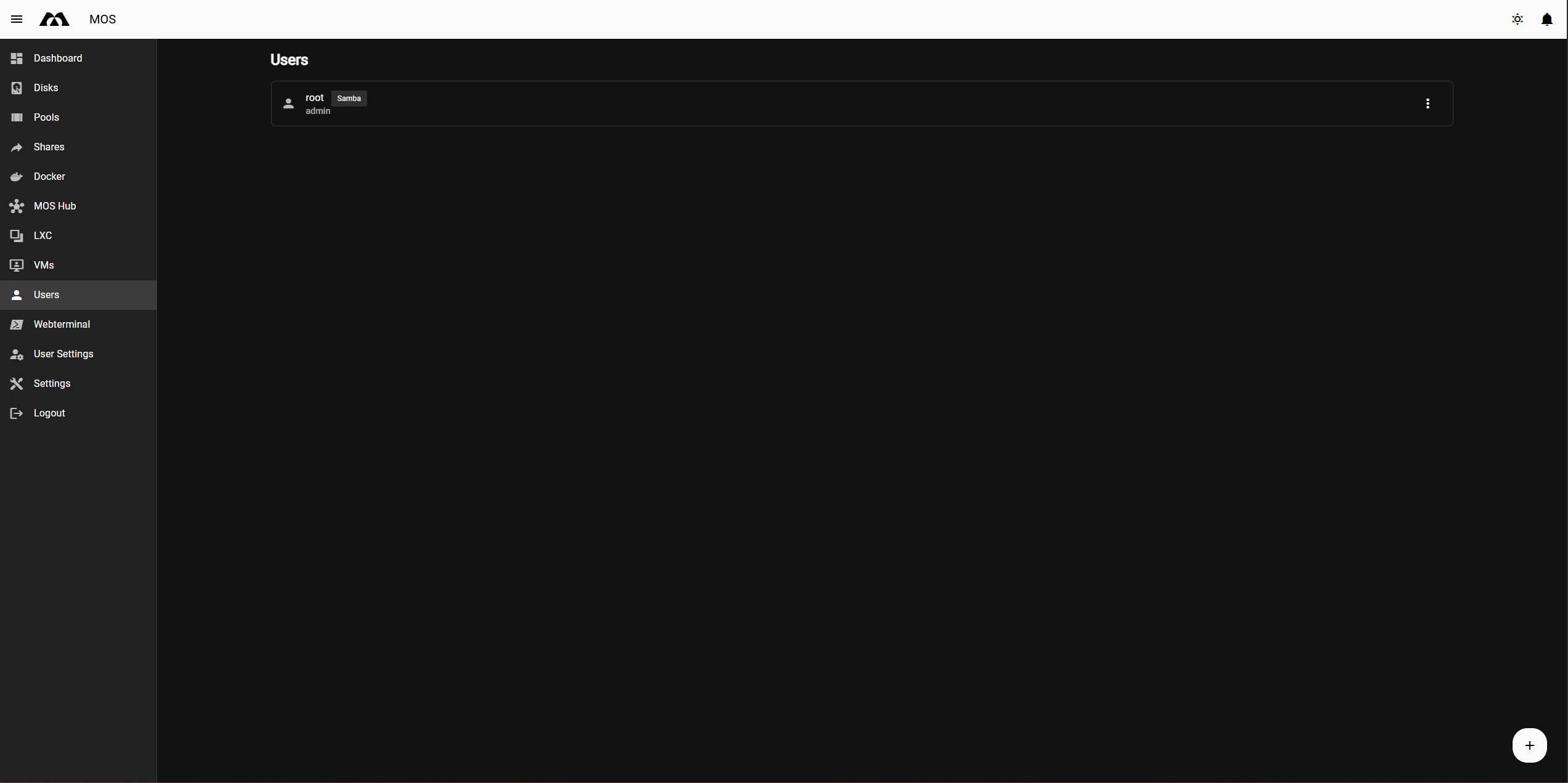
Users define who can access the MOS web interface and system resources. Each user is assigned a role that determines their permissions.
Navigate to:
Users → Add User
Example:
User Configuration Fields
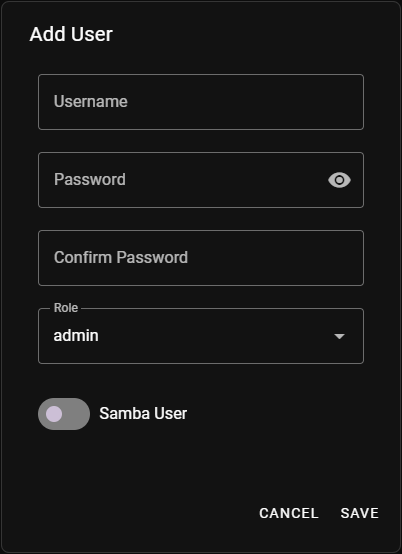
Username
Defines the login name of the user.
Notes:
- Must be unique
- Used for WebUI login and permissions
- Also used for share access if Samba is enabled
Password
Defines the login password for the user.
- The password is required for WebUI access
- Use a strong password, especially for admin users
Confirm Password
Re-enter the password to confirm correctness.
Role
Defines the permission level of the user.
Available roles:
admin
- Full access to the system
- Can manage:
- Disks and pools
- Shares
- Docker, LXC, and VMs
- Users and settings
- API tokens
Use this role only for trusted users.
samba_only
- No access to the MOS web interface
- Can only be used for file access via shares
- Intended for network file access users
Samba User
Enables or disables Samba access for the user.
- Enabled:
User can authenticate against shares - Disabled:
User cannot access shares via Samba
Managing Existing Users
The Users overview lists all configured users.
For each user you can:
- Edit the password, role, or Samba access
- Delete the user
Summary
To create a user:
- Choose a username
- Set a password
- Assign the appropriate role
- Enable Samba access if required
Use admin users sparingly and create separate users for file access where possible.
Parts of this documentation were created with the assistance of AI tools. All AI-generated content has undergone review, but it may still contain inaccuracies, omissions, or outdated information.