🔑 Token
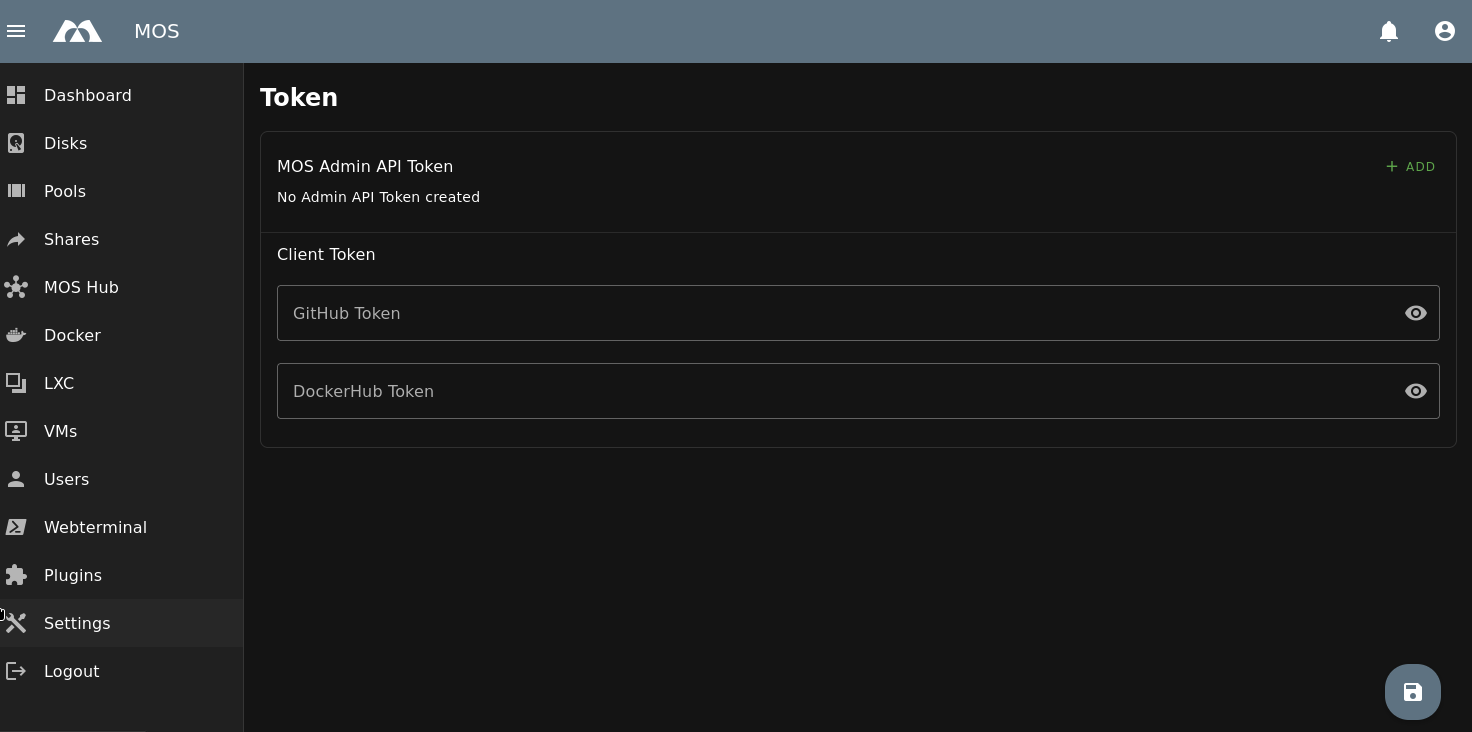
The Token menu allows you to store and manage authentication tokens used by MOS for API access and external services.
These tokens enable extended functionality, higher API limits, and secure integration with third-party platforms.
The Token menu is located under:
Settings → Network → Token
Example:
Token Types
MOS Admin API Token
MOS Admin API Tokens are used to authenticate against the MOS administrative API.
Create Admin API Token
To create a new token, click + ADD.
A dialog will open where you can define:
-
Name
A descriptive name for the token -
Description
Optional description of the token purpose
Once created, the token can be used for API access and automation.
External Service Tokens
External service tokens increase API limits and prevent download throttling when interacting with public repositories.
GitHub Token
A GitHub token allows MOS to access GitHub repositories with higher API limits.
Benefits:
- Avoids GitHub API rate limits
- Improves reliability of template and container downloads
GitHub Token Setup
- Log in to GitHub
- Click your profile picture (top right)
- Select Settings
- Scroll down and open Developer settings
- Go to Personal access tokens
- Select Fine-grained tokens
- Click Generate new token
Recommended settings:
- Expiration: No expiration
- Repository access: Public repositories (Read-only access to public repositories)
Token Usage in MOS
- Copy the generated token
- Paste the token directly into the GitHub Token field in MOS
Docker Hub Token
A Docker Hub token allows MOS to authenticate against Docker Hub and increases image pull rate limits.
Benefits:
- Higher Docker image pull limits
- Reduced risk of rate limiting during deployments and updates
Docker Hub Token Setup
- Log in to Docker Hub
- Click your profile picture (top right)
- Select Account Settings
- Open Personal Access Tokens
- Click Generate New Token
Recommended settings:
- Description:
MOS - Expiration date: None
- Access permissions: Read-only
Token Format for MOS
The Docker Hub token must be entered in the following format:
USERNAME:TOKEN
Replace USERNAME with your Docker Hub username and TOKEN with the generated access token.
Security Notes
- All tokens are stored securely
- Tokens are used in read-only mode for both public and private repositories
- Never share tokens with untrusted users
- Revoke and regenerate tokens if they are compromised
Summary
The Token menu centralizes authentication credentials for MOS and external services.
Key points:
- Create MOS Admin API Tokens for administrative access
- Store GitHub tokens to increase API limits
- Store Docker Hub tokens to avoid pull rate limits
- Use read-only permissions for maximum security
Proper token management ensures reliable and uninterrupted access to external resources.
Parts of this documentation were created with the assistance of AI tools. All AI-generated content has undergone review, but it may still contain inaccuracies, omissions, or outdated information.