VM Service
The VM Service menu controls the global configuration for virtual machines.
It allows you to enable or disable the VM service and define storage locations for virtual machine data.
The VM Service menu is located under:
Settings → Virtualization → VM Service
All settings in this section affect virtual machine operation system-wide.
Example:
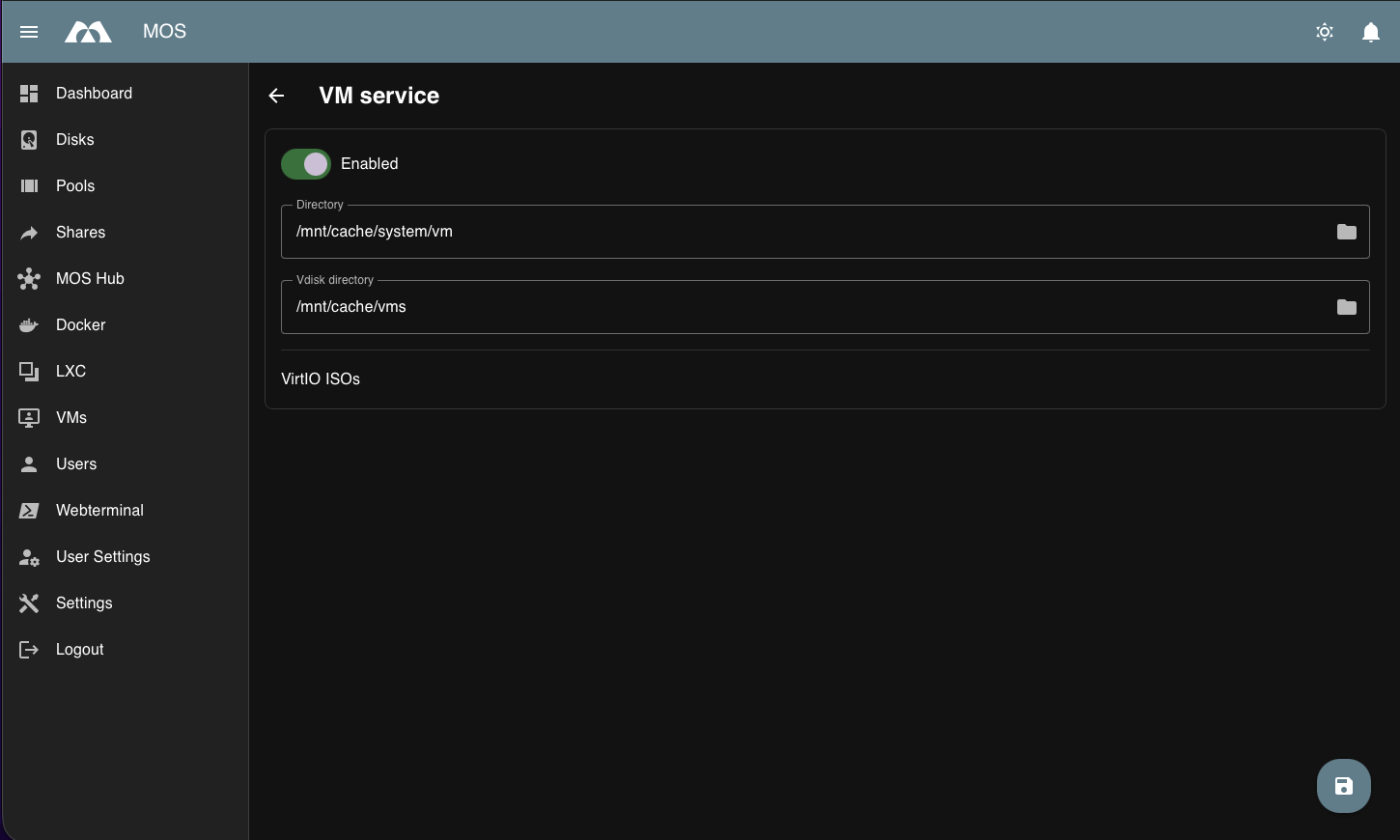
VM Service Configuration
Enable VM Service
Enables or disables the virtual machine service.
Enabled:
- Virtual machines can be created and started
- VM-related management features are available
Disabled:
- All virtual machines are stopped
- No VM-related services are running
Note:
Disabling the VM service will stop all running virtual machines.
VM Directory
Defines the directory used to store virtual machine configuration data.
Purpose:
- VM definitions
- Metadata and configuration files
Best practices:
- Use reliable and persistent storage
- Include this directory in regular backups
VDisk Directory
Defines the directory used to store virtual disk images.
Purpose:
- Virtual disk (
.img,.qcow2, etc.) files - VM storage backends
Best practices:
- Use fast storage for improved VM performance
- Ensure sufficient disk space
- Consider separate storage pools for disks and configuration
VirtIO ISOs
Provides access to VirtIO driver ISO images used by virtual machines.
Status:
This section is currently under development.
Notes:
- Functionality may be limited or incomplete
- Behavior and options may change in future releases
- Intended for managing VirtIO driver ISOs for guest operating systems
Summary
The VM Service settings define how virtual machines are managed on the system.
Key points:
- Enable or disable the VM service
- Configure directories for VM configuration and virtual disks
- Prepare for future VirtIO ISO management features
Proper configuration ensures stable and efficient virtual machine operation.
Parts of this documentation were created with the assistance of AI tools. All AI-generated content has undergone review, but it may still contain inaccuracies, omissions, or outdated information.