Drivers
MOS manages hardware drivers through Driver Plugins. Drivers are installed, updated, and managed using the MOS Hub, providing a unified and modular approach to hardware support.
🧩 Driver Plugins Overview
Drivers in MOS are distributed as plugins. Each driver plugin is maintained independently and may provide different levels of functionality depending on the maintainer.
There are two common types of driver plugins:
-
Driver-only plugins
These plugins only install the required kernel modules or drivers. -
Driver plugins with configuration UI
These plugins install drivers and provide an additional configuration page inside MOS.
The available features depend entirely on the plugin maintainer.
📍 Where to Find Driver Plugins
Driver plugins are available via the MOS Hub.
Navigate to:
MOS Hub → Search
Driver plugins are only shown if they are provided by one of the configured repositories.
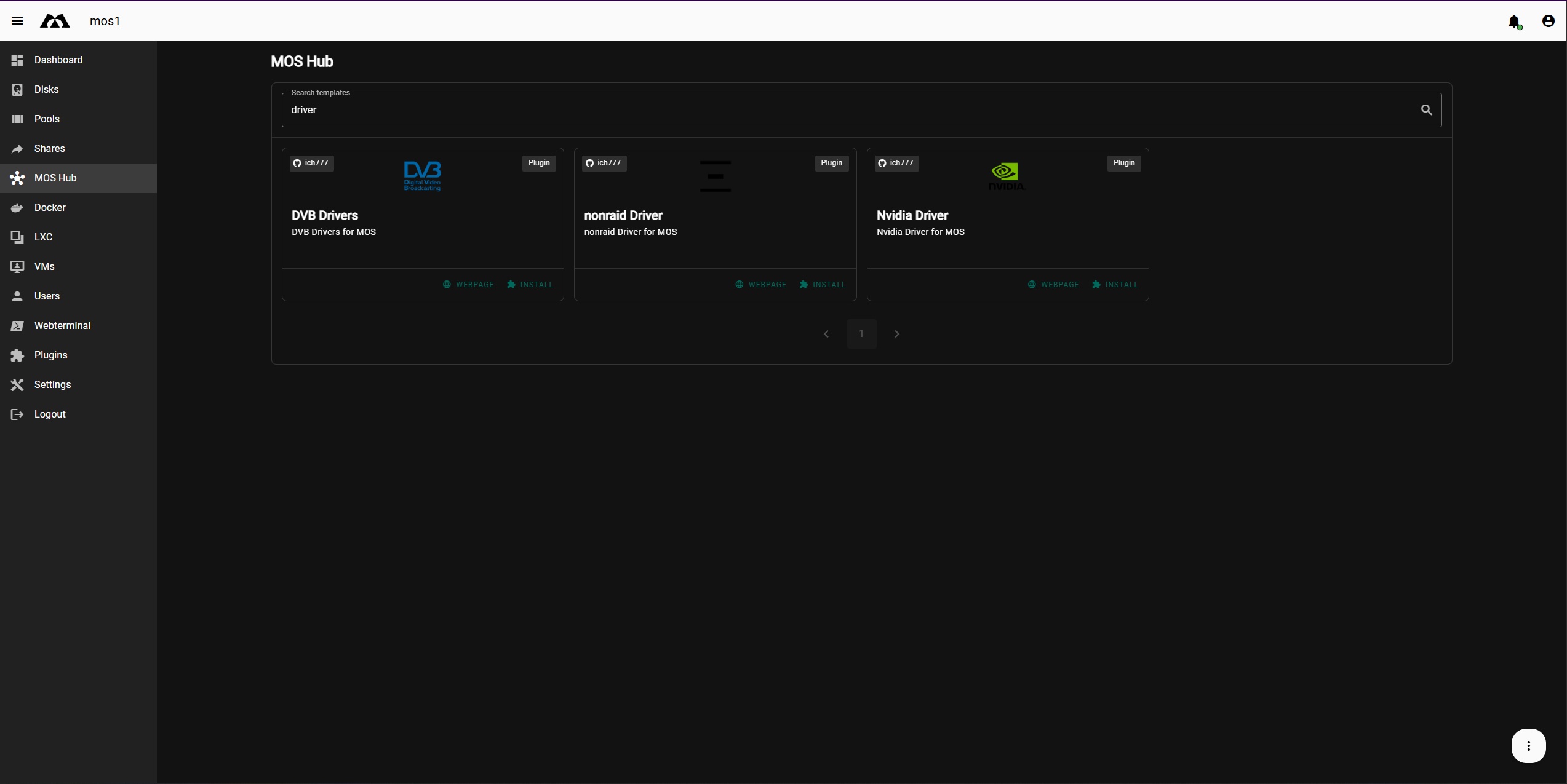
⬇️ Installing a Driver Plugin
To install a driver plugin:
-
Open MOS Hub
-
Search for the desired driver
-
Click Install on the driver plugin card
-
Select the desired release version
-
Confirm the installation
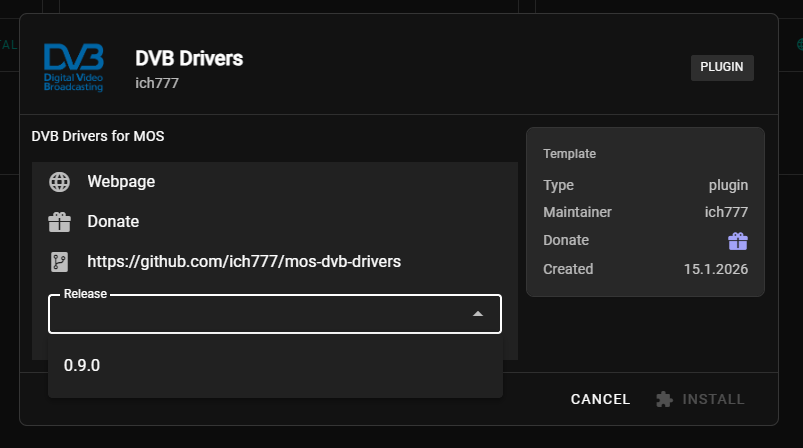
📦 Release Selection
Some driver plugins provide multiple releases. You can select the version you want to install before proceeding.
This allows:
-
Compatibility with specific kernel versions
-
Testing newer or older driver releases
-
Controlled upgrades
🧩 After Installation
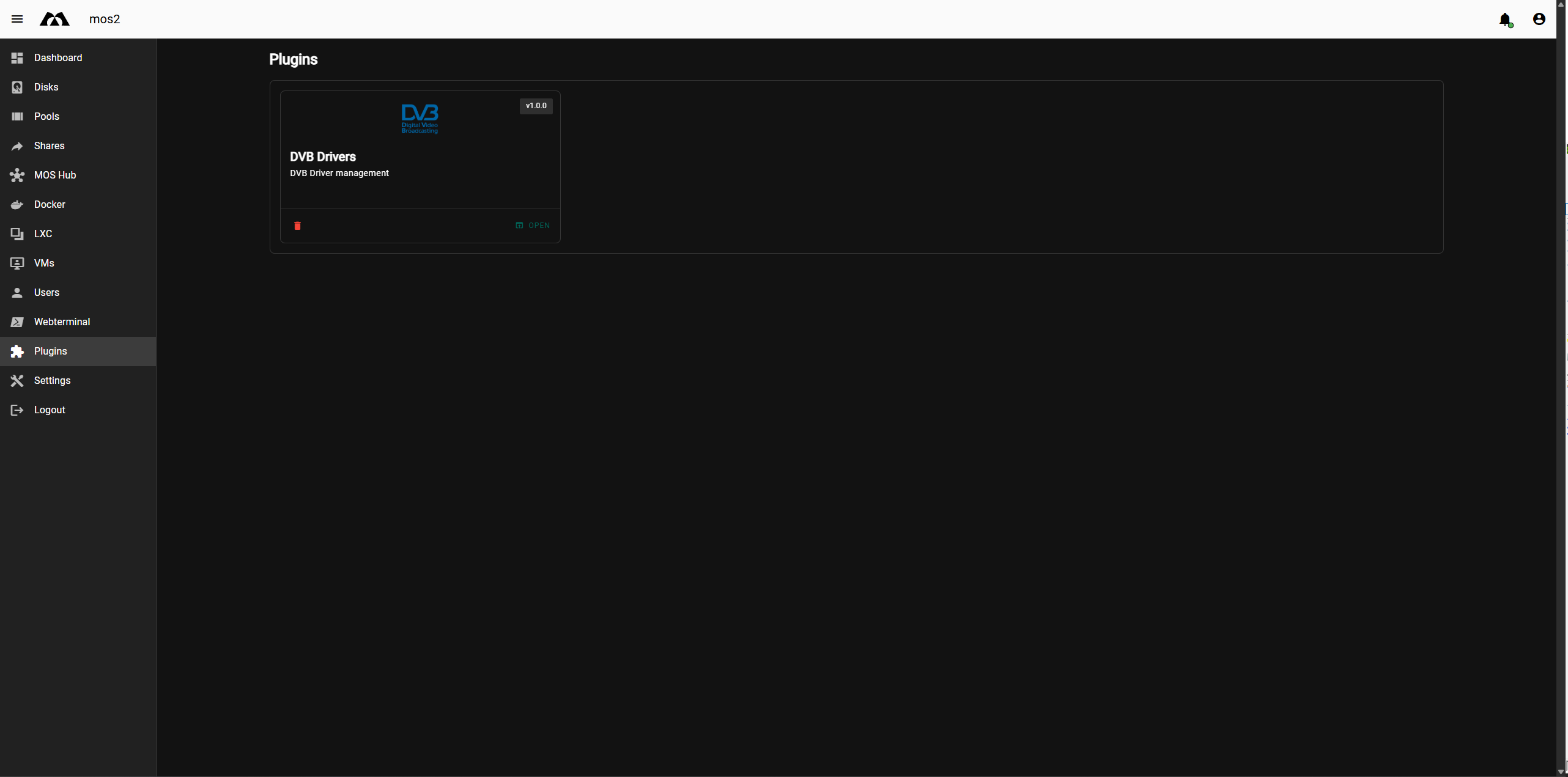
After installation, driver plugins appear under:
Plugins
From there, you can:
-
Open the plugin
-
View driver or adapter information
-
Configure settings (if provided by the plugin)
-
Rremove the plugin
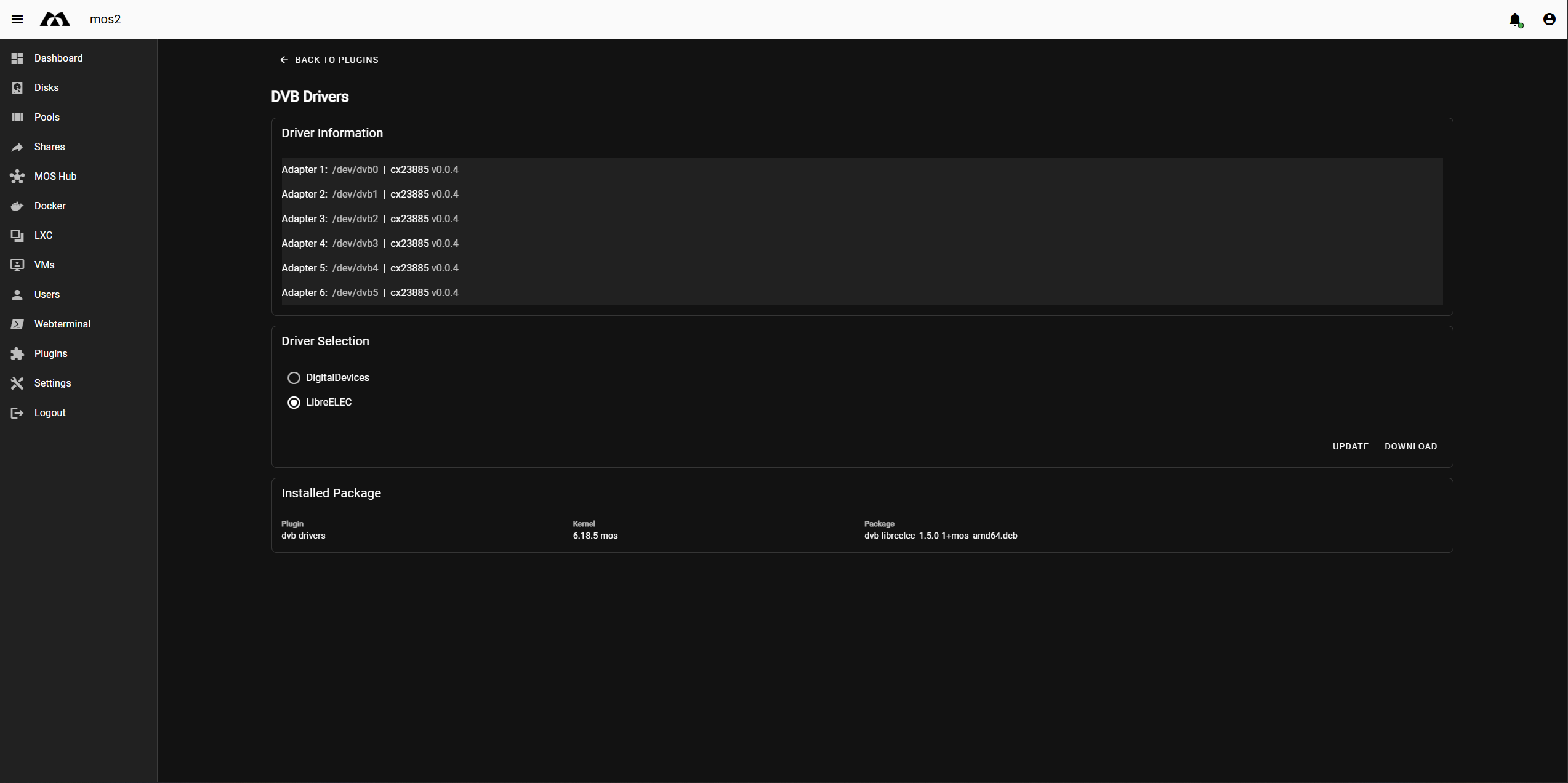
⚙️ Driver Configuration (Optional)
Some driver plugins provide a dedicated configuration interface.
Depending on the plugin, this may include:
-
Adapter or device information
-
Driver selection or switching
-
Advanced hardware options
-
Update or download actions
If a plugin does not provide a configuration page, it simply installs and manages the driver in the background.
⚠️ Important Notes
-
Driver availability depends on repository configuration
-
Not all hardware requires additional drivers
-
Plugin behavior varies by maintainer
-
Kernel updates may affect driver compatibility
✅ Summary
-
Drivers in MOS are managed as plugins
-
Installation is done via the MOS Hub
-
Plugins may be driver-only or include configuration pages
-
Installed drivers are managed under Plugins
-
Functionality depends on the plugin maintainer
Parts of this documentation were created with the assistance of AI tools. All AI-generated content has undergone review, but it may still contain inaccuracies, omissions, or outdated information.