System
The System menu provides core configuration options that control system identity, localization, power behavior, notifications, time synchronization, and network proxy settings.
The System menu is located under:
Settings → System Configuration → System
These settings affect global system behavior and should be configured carefully.
Example:
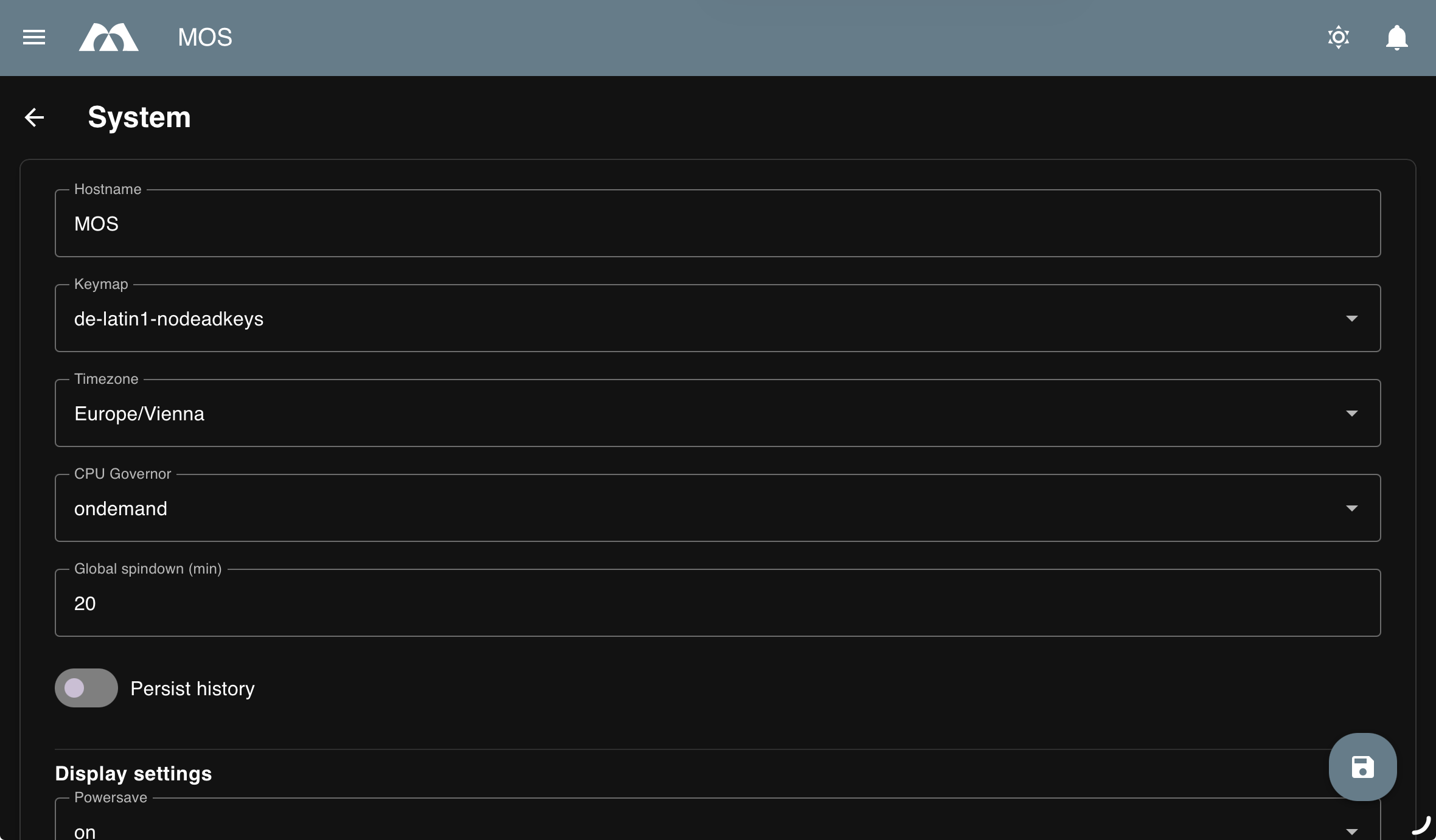
General System Settings
Hostname
Defines the system hostname.
Default:
MOS
Notes:
- Used for network identification
- Changes may require reconnecting to the system UI
Keymap
Defines the system keyboard layout.
Default:
de-latin1-nodeadkeys
Use cases:
- Console access
- Local keyboard input
Timezone
Defines the system timezone.
Default:
Europe/Vienna
Notes:
- Affects logs, cron jobs, and scheduled tasks
- Should match the physical system location
CPU Governor
Defines the CPU frequency scaling policy.
Default:
ondemand
Common options:
ondemand– Dynamic scaling based on current system loadperformance– Forces maximum CPU frequencypowersave– Forces minimum CPU frequency to reduce power consumptionconservative– Gradual frequency scaling with slower ramp-up, optimized for power efficiency
Recommendation:
Use ondemand for balanced performance and efficiency.
Global Spindown (minutes)
Defines the idle time before disks are spun down.
Default:
20minutes
Notes:
- Reduces power consumption and noise
- Excessively low values may increase disk wear
Persist History
- Enable / Disable
Controls whether command and system history is preserved across reboots.
Use cases:
- Enable for auditing and troubleshooting
- Disable for privacy-focused or minimal systems
Display Settings
Powersave
Controls display power-saving behavior.
Default:
- Enabled
Powerdown
Defines the time before the display is powered down.
Default:
60minutes
Timeout
Defines the inactivity timeout for the user interface.
Default:
30minutes
Notification Sounds
Controls system notification sounds.
Sound on Reboot
- Enable / Disable
Sound on Shutdown
- Enable / Disable
Sound on Startup
- Enable / Disable
Notes:
- Useful for local systems
- Can be disabled for headless or silent environments
NTP (Time Synchronization)
NTP Enabled
- Enable / Disable
Enables or disables network time synchronization.
NTP Mode
Defines the NTP synchronization mode.
Default:
iburst
Note:
iburst allows faster initial synchronization.
NTP Servers
Defines the NTP servers used for time synchronization.
Default servers:
0.pool.ntp.org1.pool.ntp.org
Notes:
- Additional servers can be added
- Custom or local NTP servers are supported
Proxy Settings
Defines global proxy configuration for outbound network traffic.
HTTP Proxy
Defines the HTTP proxy server.
HTTPS Proxy
Defines the HTTPS proxy server.
FTP Proxy
Defines the FTP proxy server.
No Proxy
Defines addresses or domains that bypass the proxy.
Examples:
localhost127.0.0.1.local
Summary
The System menu centralizes essential configuration options that affect the entire OS.
Key areas covered:
- System identity and localization
- Power and performance behavior
- UI display and notification settings
- Time synchronization via NTP
- Network proxy configuration
Correct system configuration is critical for stability, performance, and predictable behavior.
Parts of this documentation were created with the assistance of AI tools. All AI-generated content has undergone review, but it may still contain inaccuracies, omissions, or outdated information.