Logs
The Logs menu provides direct access to system log files stored on the server.
It allows you to inspect log output for troubleshooting, monitoring, and auditing purposes without using the command line.
The Logs menu is located under:
Settings → System Configuration → Logs
All log files located in /var/log and its subdirectories can be viewed from this interface.
Example:
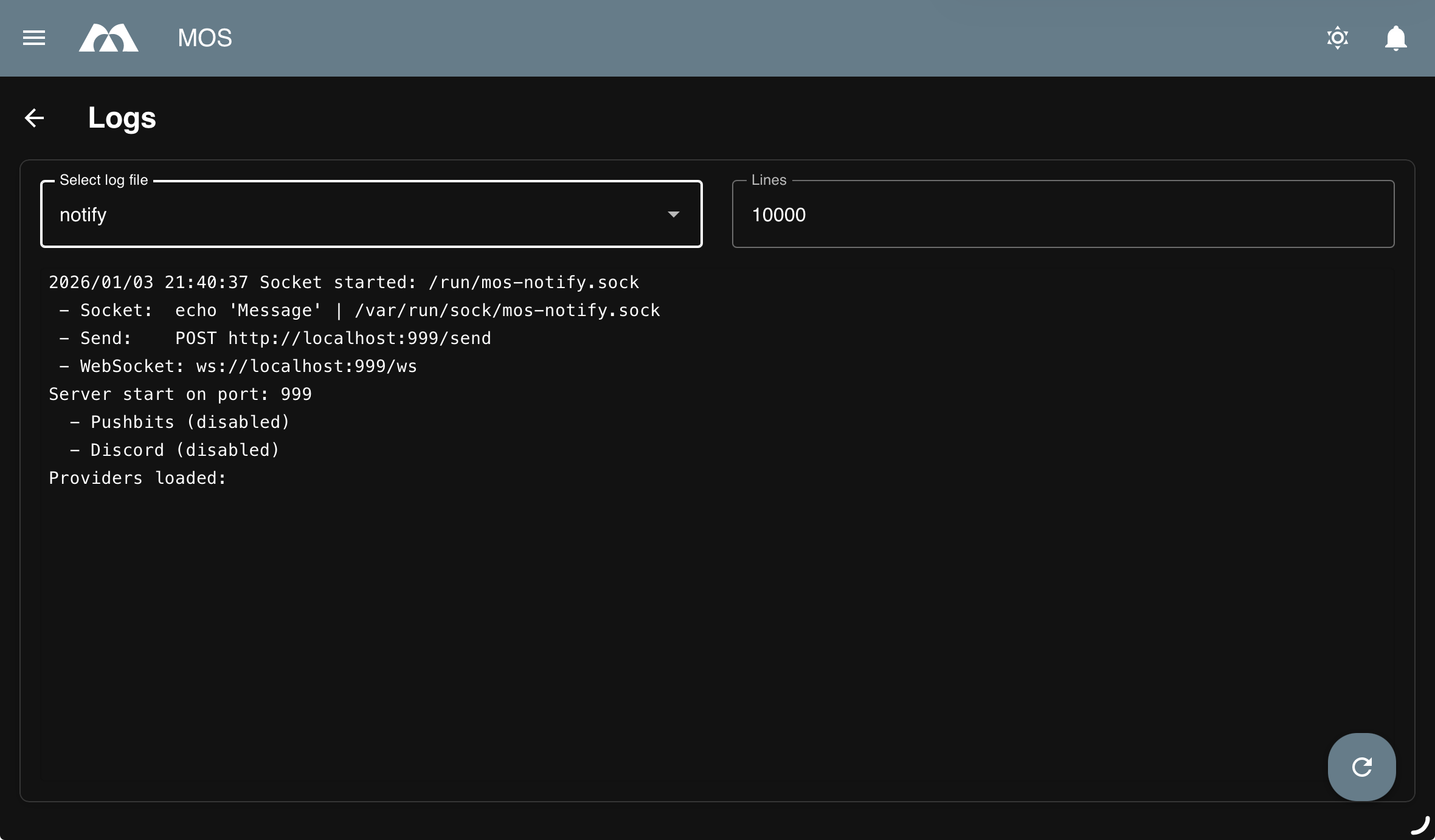
Log Viewer Overview
The log viewer lists all available log files found in:
/var/log
including files located in nested subdirectories.
Typical log files include:
apiauthbootcrondockernotifysyslog- Application-specific log files
- Custom service logs
Log Viewer Options
Log File Selection
Select the log file you want to inspect from the list.
Notes:
- Only files within
/var/logare accessible - Permissions are handled by the system
- Large log files may take longer to load
Lines
Defines how many lines of the selected log file are displayed.
Default value:
10000→ Shows the last 10,000 lines of the file
Purpose:
- Limit output for better readability
- Improve performance when viewing large files
Best practice:
- Start with a lower number of lines when troubleshooting
- Increase the value only if more context is required
Use Cases
- Diagnosing system or service startup issues
- Inspecting cron job output
- Reviewing authentication and access logs
- Debugging application or container behavior
Notes and Limitations
- Log files are read-only in this view
- Editing or deleting logs is not supported
Summary
The Logs menu offers a convenient and safe way to inspect system log files.
Key points:
- View logs from
/var/logand subdirectories - Select specific log files to inspect
- Control the number of displayed lines
- Ideal for debugging and system monitoring
Proper use of log inspection is essential for maintaining a stable and secure system.
Parts of this documentation were created with the assistance of AI tools. All AI-generated content has undergone review, but it may still contain inaccuracies, omissions, or outdated information.